Four things in a clinic's online booking that can stop a new patient from booking, and how to test the path the way a stranger would.
A clinic's online booking works when a new patient can pick the right appointment, see a time that suits and book it in a few taps. Four things can get in the way: too many appointment types, too many questions, a diary blocked out with time blocks, and asking for card details before a time is shown. Each one is something the clinic can change.
This article is about the online booking page a new patient reaches from the clinic's website, its Google Business Profile or an ad, usually supplied by the clinic's practice management software. Physiotherapy is the example; the same applies to any owner-led allied health clinic.
Online booking is a front desk with no receptionist
At a good front desk, a receptionist hears what the person needs, offers the earliest suitable appointment, moves things around to fit them in, and takes their details once the time is agreed. Online booking has no receptionist. The patient makes every choice alone, and someone who gives up part way usually leaves no trace in the diary, so the clinic does not hear about it.
Our approach is to make the online path do what a good front desk already does: ask what the person is after, show them a time, and book it. Each of the four things below is a place where the online path asks more of a new patient than the front desk would.
An owner who has used their own booking system for years knows where everything is, which makes its problems hard to see. Our approach is to have someone who is not the owner test it as a stranger, on a phone, the way a new patient would.
1. Too many appointment types
Online booking typically asks a new patient to pick an appointment type before it shows any times. The layout of that page usually comes with the practice management software, and a clinic can change little about it. The list of appointment types shown online is usually the clinic's to set, and it can grow as services, session lengths and special assessments are added.
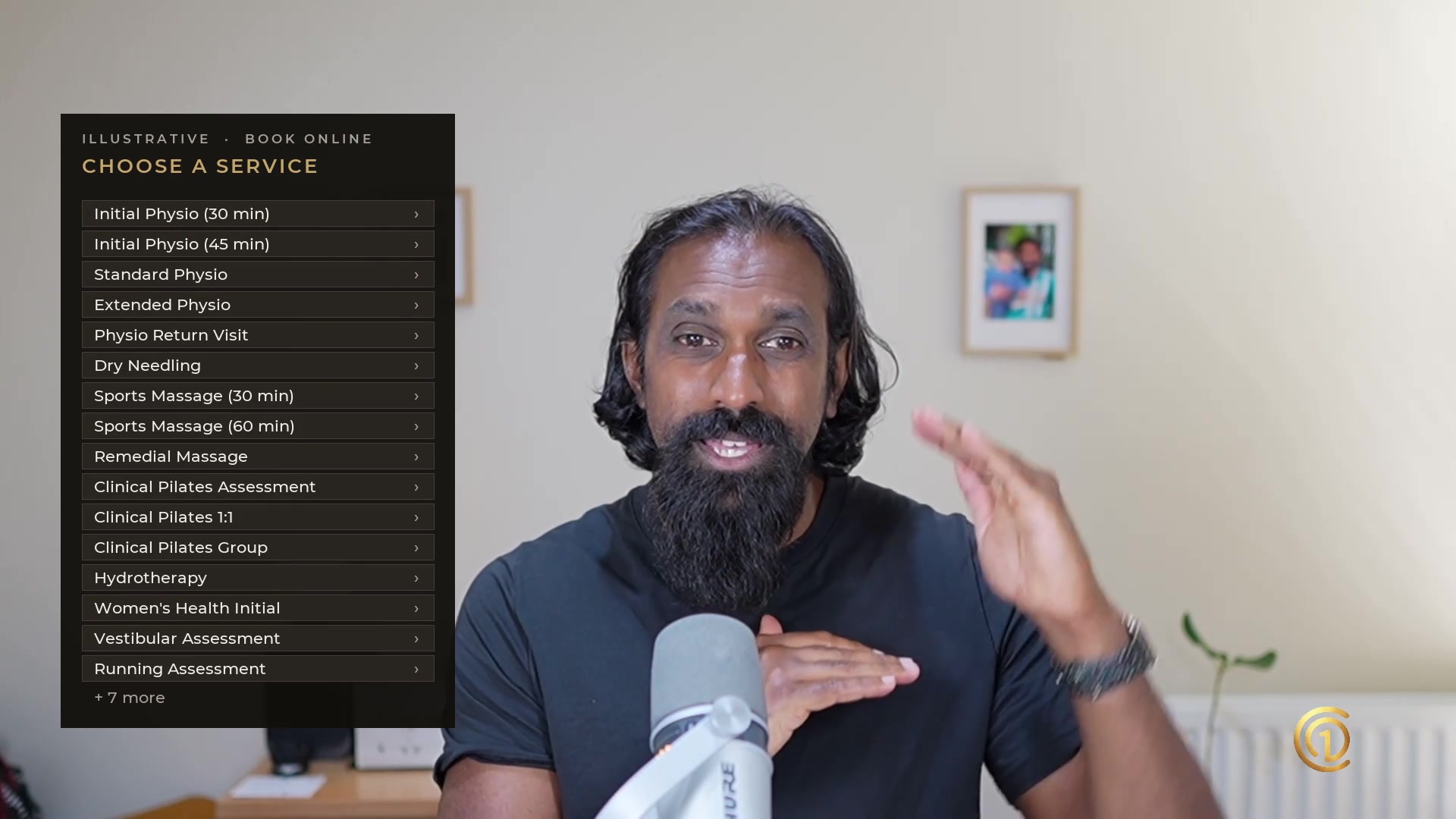
Illustrative: the same clinic, two booking lists.
| Long list | Short list | |
|---|---|---|
| What a new patient sees | More than 20 types: initial physio in two lengths, standard, extended and return visits, dry needling, sports and remedial massage, three kinds of Pilates, hydrotherapy, women's health, vestibular and running assessments | Four types: an initial and a follow-up consult for each of two services |
| What they have to decide | Which of 20 or more is theirs, in the clinic's words rather than theirs | Which service, and whether it is a first visit or a follow-up |
Our approach is to show only what a new patient needs to choose: the service they are after, and whether this is a first visit or a follow-up. The clinic's main service leads the list. We aim for no more than three services online, which means no more than six appointment types: an initial and a follow-up for each.
The front desk already works this way. Someone who walks in and says they are after physio is booked in as an initial physio appointment; nobody reads them the whole list. Specialised appointments still get booked: by phone, where the front desk works out which appointment suits the caller, or by the clinic after the first visit.
A short list also makes the booking countable. When a clinic runs a new-patient offer, our approach gives the offer its own appointment type and links straight to it, so bookings and attendances for the offer can be counted in the clinic's own system.
2. Too many questions
Our approach asks for what is needed to hold the appointment: the person's name, email and phone number, and the time they have chosen.
The one addition is a required question for the clinic's own records: "How did you hear about us?", with each of the clinic's sources as an answer, including "Google search ad" if the clinic runs ads. It gives the clinic a stated source for every new patient, one of the ways to see which of its marketing is bringing people in.
Most of the rest, such as health history and consent forms, can be collected after the booking and before the first visit. Where the clinic needs an answer before it can accept a booking, such as a funding type or a service with eligibility rules, that question stays. Where the practice software requires a field, it stays too; where a field is optional, our approach turns it off for online bookings.
3. A diary blocked with time blocks
Online booking shows only the times that are open. A time block in the diary, whether for case notes, admin, a meeting or a task, takes that time out of online booking as surely as a booked patient does.
So a new patient looks for 10:30 on Monday morning and finds a time block. The practitioner may have time free across the day, but the times a new patient would choose are blocked for work that is not urgent.
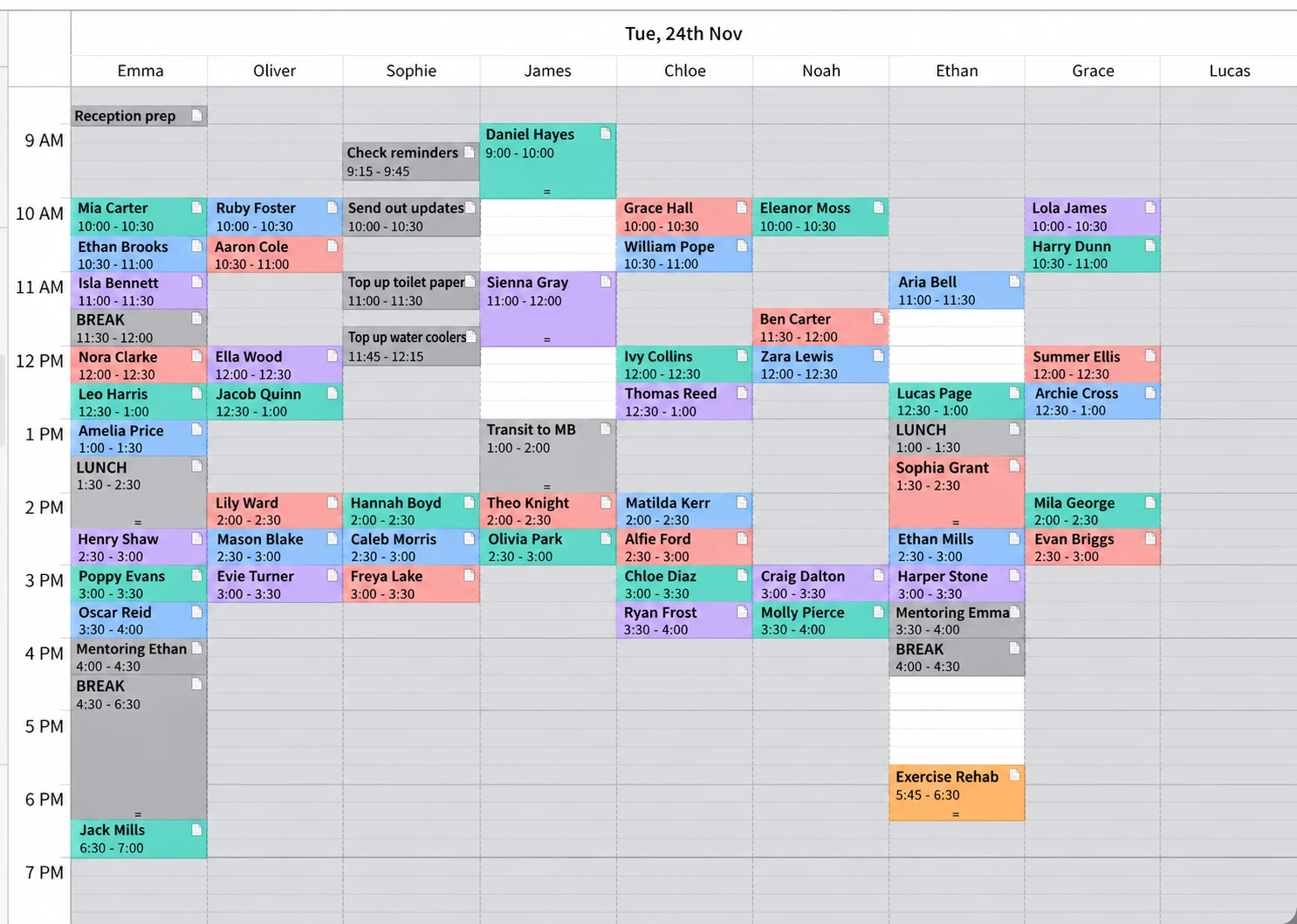
At the front desk, a receptionist can see that a block is case notes, ask the practitioner, and offer the time anyway. Online booking cannot. Our approach:
- Time blocks inside bookable hours need the approval of the owner or practice manager.
- Work that is not urgent goes in time no patient has booked, and can be recorded in the diary afterwards.
- The hours new patients ask for are kept open for new patients.
Meal and tea breaks are a separate matter. For employees covered by the Health Professionals and Support Services Award 2020 (MA000027), clause 15 sets them: an employee who works more than 5 hours is entitled to an unpaid meal break of 30 to 60 minutes, the time of the meal break may be varied by agreement between the employer and the employee, and every employee is entitled to a paid 10-minute tea break in each 4 hours worked, at a time agreed between them.
Check it now. Open next week's diary and look at it as a new patient would: which times in the mornings and evenings are open for a new patient to book, and which are blocked?
4. Asking for card details before showing a time
Some booking set-ups ask for a payment or card details as soon as someone presses Book, before they have seen whether there is a time that suits them. There are operational reasons for it, such as cancellation and no-show fees.
Picture it at the front desk. Someone walks in and asks whether there is anything available today, and the receptionist asks for their credit card first. They have not yet had an answer to the question they came with.
Our approach is to answer that question before asking for anything else. The person sees the times, chooses one, and then gives card details if the clinic needs them. The card step moves; it does not have to go. When a clinic's ads are bringing people to the booking page and few of them book, a card request before the times is the first thing we would change. The clinic's own booking numbers, before and after the change, are the test.
After the booking: where the front desk comes back in
A shorter booking path does not take work away from the front desk. It moves the work to after the booking. Our approach is for admin to contact each new patient soon after they book: a personal welcome, a check that they are booked for the right service with the right practitioner at the right location, and anything the clinic still needs from them.
Some people will land in the wrong diary or with the wrong practitioner. Our approach is to catch that in the contact after the booking, aiming to put it right before the first visit, rather than add steps in front of the booking for everyone.
Our rule of thumb is that operations should not get in the way of the marketing that brings people to the booking page. Where an operational problem can be solved after the booking is captured, that is where we solve it.
Test your own booking path as a stranger
Ask someone who is not the owner to go through the clinic's booking path on a phone, as a new patient, from the website and from any ad:
- Click through to the screen where a time is chosen, without booking. Record the exact link.
- Count the appointment types a new patient has to choose from.
- Count the questions that must be answered. Check that "How did you hear about us?" is one of them.
- Look at next week's diary for new-patient times in the hours patients ask for, and the time blocks sitting in them.
- Check whether a card or payment is asked for before a time is shown.
- Ring the clinic once in business hours and once outside them. Note who answers, how long it takes, and whether there is a call-back rule.
Fix what costs nothing first. A shorter list of appointment types, fewer questions and approved time blocks are usually settings and habits rather than spend. Moving the card step depends on what the booking software or payment service allows.
Online booking and Google Ads
Paid clicks arrive at the same booking path as everyone else. Our approach judges Google Ads on ad spend divided by the attended new patients they bring in, and turns them on only once the booking path and the diary can take the traffic. When ads are running and bookings are not coming through, check the booking path and the diary before the ads: the four things above, and whether there are new-patient times open for the booking page to show. On the ads themselves: Google Ads for physiotherapy clinics.
Online booking is one of the doors at the end of every one of the six ways to get new patients into the diary: Google Ads, walk-by traffic and signage, word of mouth, Google and AI search, referrers, and sponsorships. Each of them ends with someone trying to book, online or by phone. The New patients hub has all six, and the 6 Ways to Get New Patients Into Your Diary video covers them in about 12 minutes.
New Patient Accelerator
All six ways, built in your own clinic
Twelve live sessions build the six ways into your clinic, in your own accounts. AI drafts the work; you check it and make the calls.
Questions owners ask
Why aren't new patients booking online at my clinic?
Check four things: how many appointment types a new patient has to choose from, how many questions they must answer, whether time blocks are taking new-patient times out of the diary, and whether card details are asked for before a time is shown. Each one asks more of a new patient than a good front desk would, and each is something the clinic can change.
How many appointment types should a clinic show online?
Our approach is no more than three services online, each with an initial and a follow-up consult, so no more than six appointment types, with the clinic's main service first. A new patient then decides only which service they are after and whether it is a first visit.
What should a clinic ask when a new patient books online?
Name, email and phone number, plus one required question: "How did you hear about us?" Most other details, such as health history and consent forms, can be collected after the booking and before the first visit, unless the clinic needs them to accept the booking.
Do time blocks affect online bookings?
Yes. Online booking shows only open times, so a time block for case notes or admin takes that time out of online booking as surely as a booked patient does. Our approach is that time blocks in bookable hours need the owner's or practice manager's approval, and non-urgent work goes in unbooked time.
Should a clinic take card details before an online booking?
Our approach is to show the available times first, let the person choose one, and then ask for card details if the clinic needs them, for example for a cancellation policy. Asking for a card before a time is shown asks for something before the person's question has been answered.
How do I test my clinic's online booking?
Ask someone who is not the owner to book as a stranger, on a phone: click through to the time-selection screen without booking, count the appointment types and required questions, check for open new-patient times in next week's diary, and note whether a card is asked for before a time. Ring the clinic once in hours and once outside them as well.
Why are my Google Ads clicks not turning into bookings?
Check the booking path and the diary before the ads. A long list of appointment types, too many questions, a diary with no open new-patient times, or a card request before the times can all stop a person who clicked the ad from booking. Judge the ads on ad spend divided by the attended new patients they bring in.
Related reading
- Google Ads for physiotherapy clinics: where search ads fit, and how to tell whether the spend brings in new patients.
- Should AI replace your receptionist?: what a live front desk does for a clinic.
- Same treatment, completely different experience: the service moments around a first appointment, including the call before it.
- New patients hub: the six ways to get new patients into the diary, with our articles and videos.
Sources
- Fair Work Commission, Health Professionals and Support Services Award 2020 (MA000027), clause 15, "Breaks", in the consolidation current from 1 October 2026.
About this information
Culture of One is a business advisory firm for owner-led allied health clinics, not a law firm. This is general information about a clinic's online booking and the Award's break rules, not legal advice and not advice about your own clinic or staff. The approach above is ours, not a measured result: what changes in any clinic's bookings depends on its software, its diary and its team, and the clinic's own booking numbers are the test. The Award clause above was read on 10 November 2026. If something here is wrong or out of date, tell us at shane@cultureofone.com.au and we will correct it.
Last updated 10 November 2026.


Recent Insight Articles
Explore more expert insights to deepen your understanding and find practical solutions for advancing your clinic's growth and sustainability.